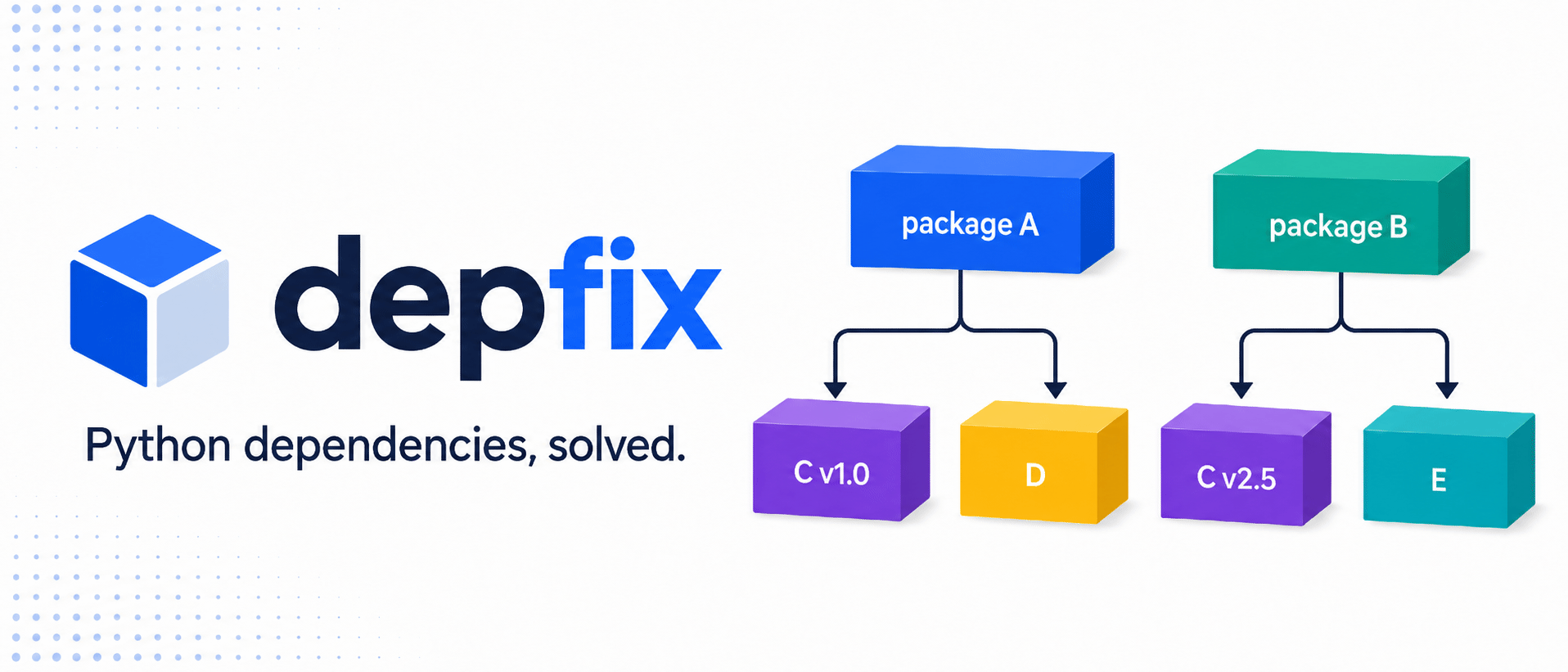


| The win | What it means |
|---|---|
| 🧩 No dependency conflicts | Every package keeps the dependency versions it needs. |
| 🔀 Multiple versions together | Import two versions of the same package in one Python process. |
| ⚡ Install at runtime | Packages are downloaded when your code first needs them, then cached. |
| 🧹 No dependency files | No requirements.txt or dependency list in pyproject.toml is required. |
| 🐍 Normal Python imports | Select a version, then keep writing ordinary import package. |
| 🌱 Start with one line | No environment redesign or separate installation workflow. |
| 🚀 Production ready | Built-in CLI and Python APIs let you preinstall or vendor packages for predictable deployments. |
import depfix

with depfix.using("requests==2.31.0"):
    import requests as requests_old

with depfix.using("requests==2.32.3"):
    import requests as requests_new

assert requests_old is not requests_new
That is the idea: put the version next to the import and let Depfix handle the rest.
No requirements.txt needed. No dependency list in pyproject.toml. No virtual-environment juggling because two packages
want different versions of the same dependency. Depfix downloads packages when they are first used, keeps them cached, and
makes sure each package continues using the dependencies it was installed with.
Your imports become the source of truth. Dependency conflicts stop being a project-wide problem.
Install Depfix once:
python -m pip install depfixExisting dependency files can populate the same shared store without touching the active environment:
depfix pip install requests==2.32.3 PyYAML==6.0.2
depfix pip install -r requirements.txt
This is Depfix installation, not an alias for pip or uv pip. The listed packages are resolved as one group, exact
artifacts are materialized in the Depfix store, and incompatible transitive versions can coexist. Requirement files may
include nested -r files, -c constraints, indexes, hashes, and local -e paths. Add --prefer-newest or -U when
newest-first selection matters more than compatible cache reuse.
Then choose whichever import style fits your code.
Use default() when the rest of the file or application should import selected versions normally. You can select one or
several packages together:
import depfix

depfix.default(
    "requests==2.32.3",
    "PyYAML==6.0.2",
)

import requests
import yaml

response = requests.get("https://raw.githubusercontent.com/pypa/pip/main/.pre-commit-config.yaml")
workflow = yaml.safe_load(response.text)
There is no separate install step. The first default() call prepares the requested packages, and later runs reuse the
cache. When dependency ranges overlap, Depfix prefers the newest compatible version already in that shared cache, so
packages selected together can reuse one copy. Pass prefer_newest=True to default(), using(), import_module(), or
load_package() when you explicitly want newest-first resolution instead.
Use using() when one part of your program needs a specific version:
import depfix

with depfix.using("openai==0.7.0"):
    import openai as openai_0_7

with depfix.using("openai==0.28.1"):
    import openai as openai_0_28
The imported objects keep working after the block ends:
with depfix.using("requests==2.31.0"):
    import requests as legacy_requests

response = legacy_requests.get("https://example.com")
using() also works as a function decorator:
import depfix


@depfix.using("requests==2.31.0")
def fetch_with_legacy_requests(url: str):
    import requests

    return requests.get(url)
The selected version is active every time the function runs. Async functions work too.
Use import_module() when you want the module returned immediately:
import depfix

requests = depfix.import_module("requests==2.32.3")
This is especially convenient for dynamic code:
version = "2.32.3"
requests = depfix.import_module(f"requests=={version}")
Most packages expose one obvious import. If a package exposes several and you already know which ones you need, select
each with module=:
import depfix

setuptools = depfix.import_module(
    "setuptools==75.0.0",
    module="setuptools",
)

pkg_resources = depfix.import_module(
    "setuptools==75.0.0",
    module="pkg_resources",
)
Use load_package() when you want to inspect package metadata or discover its available module names before importing:
package = depfix.load_package("setuptools==75.0.0")

print(package.name, package.version)
print(package.module_names)
print(package.dependencies)Imagine two packages that cannot be installed together conventionally:
awscli==1.32.0  needs botocore==1.34.0
boto3==1.36.0   needs botocore>=1.36,<1.37
With Depfix, import both:
import depfix

with depfix.using("awscli==1.32.0", "boto3==1.36.0"):
    import awscli.clidriver
    import boto3
Each package receives the Botocore version it needs. You do not have to pin the shared dependency, split the application, or create another environment. See the runnable AWS CLI and Boto3 example.
The same APIs accept version ranges and common Python package sources:
requests = depfix.import_module("requests>=2.31,<3")
requests_with_socks = depfix.import_module("pypi:requests[socks]~=2.32")
sdk = depfix.import_module("git:https://github.com/acme/[email protected]")
local_package = depfix.import_module("file:../my-local-package")
helpers = depfix.import_module("file:./helpers.py")

module = depfix.import_module("url:https://packages.example/acme_sdk-2.4.0-py3-none-any.whl#sha256=<digest>")
Standard PEP 508 direct references work as well.
For local development, just run your Python file. Depfix installs and caches packages as the code reaches them. It does not create project files.
When you want a repeatable deployment, Depfix can scan the same imports and prepare everything in advance:
depfix export . -o .depfix/imports.lock
depfix install .depfix/imports.lock --frozen
python application.py
This is optional. You can start with one import and add deployment controls only when you need them. Offline bundles, containers, and generated IDE aliases are also available.
Depfix reuses one package store across projects, repositories, and working directories. It records when each exact package artifact was installed and when Depfix last imported it. Once per day, a lightweight background check removes packages that have gone unused for 30 days. The graph being prepared and packages held by active Depfix runtimes are always protected, so returning to an older project does not delete and immediately reinstall its own dependencies.
Inspect or clean the store explicitly from the CLI:
depfix cache list
depfix cache cleanup --days 30
depfix cache remove requests --version 2.31.0
The same operations are available as depfix.list_cached_packages(), depfix.cleanup_cache(), and
depfix.remove_cached_package(). Change the retention window or disable automatic cleanup centrally:
depfix.configure(cache_retention_days=60, cache_auto_cleanup=False)- Importing
depfixalone does nothing expensive. Installation starts only when you call a loading function. - Automatic cache cleanup defaults to packages unused for 30 days and runs off the import path in a background sweep.
- Package preparation is shown on stderr, so you can see what is happening. Set
DEPFIX_LOG_LEVEL=WARNINGfor quiet mode. - Depfix supports pure-Python and native wheel packages on CPython 3.11–3.13. Automatic mode isolates pure dependency graphs and loads native graphs through guarded, conventional Python imports.
- Isolated versions keep separate class identities.
Keep library-owned objects within their version, or translate them through an agreed primitive or serialized boundary
before another version consumes them. Use
realm_of(),assert_same_realm(), orenforce_same_realm()to make known crossings fail immediately with producer and consumer versions. - A native package can own one compatible public import version per process. Reusing it is idempotent; requesting an incompatible second owner raises a clear error instead of silently returning the wrong version.
using()works as scoped syntax sugar for the first compatible native version. That version remains loaded as the process owner after the scope exits; use a worker when you need to switch or overlap native versions.- Unsafe package classifications and strict in-process native loading are denied by default. Trusted callers can opt in
per request with
allow_unsafe=Trueor process-wide withdepfix.configure(allow_unsafe=True). - Depfix isolates pure dependency versions; it is not a sandbox for untrusted code.
Depfix is an open-source project by agent0ai, creator of Agent Zero, Space Agent, and DOX.
- Found a bug or compatibility gap? Open an issue.
- Want to contribute? Read CONTRIBUTING.md.
- Want to support agent0ai's work? Sponsor on GitHub.
Depfix is released under the MIT License.