


Subsonic player is a responsive, modern web-based client designed for Subsonic music servers.
Built with Nuxt 4, a modern Vue 3 framework, this open-source application provides a seamless and enjoyable music listening experience across all devices.
Compatible Servers:
- Gonic (This application is primarily optimized for use with Gonic).
- Airsonic Advanced.
- Navidrome.
- Subsonic servers.
-
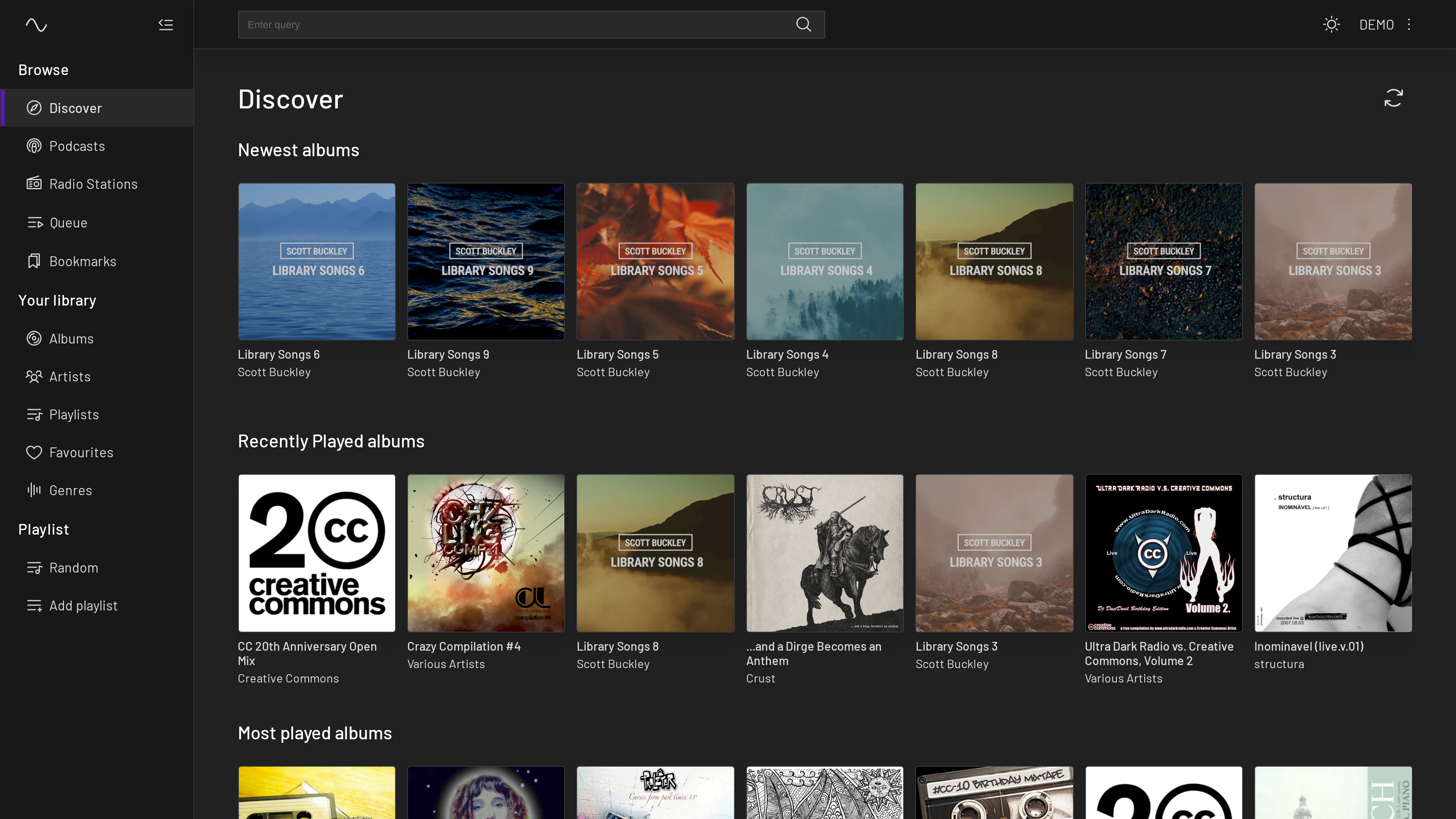
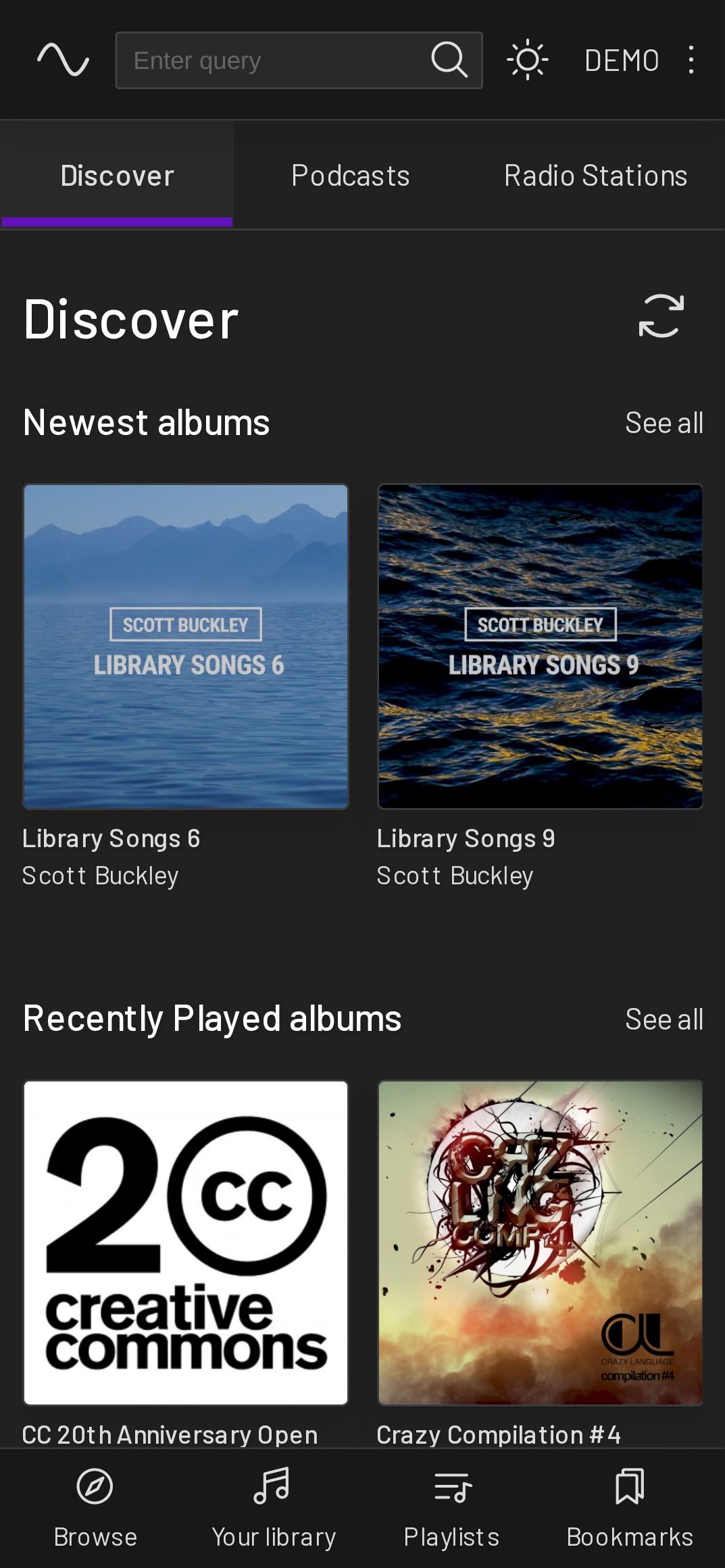
Fully Responsive UI (Further design improvements are ongoing.)
- Optimized for desktop and mobile devices.
- Adaptive design.
-
Comprehensive Library Browsing
- Browse by album, artist, genre, and folder/files.
- Explore podcasts and favourites.
- Access internet radio stations.
-
Advanced Functionality
- Bookmarking podcast episode to keep track of the listening position across multiple sessions.
- MediaSession Integration.
- Advanced Search capabilities.
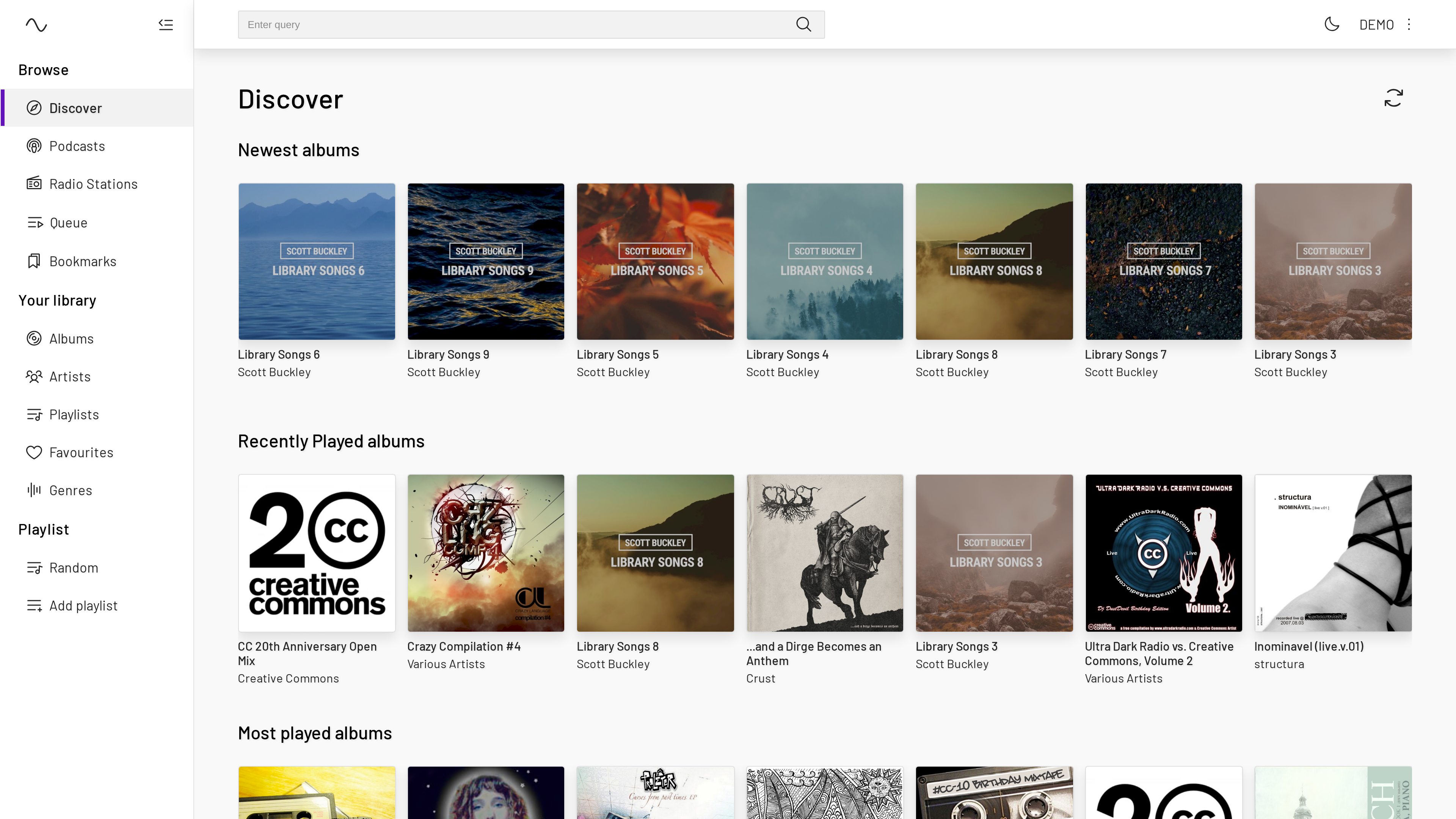
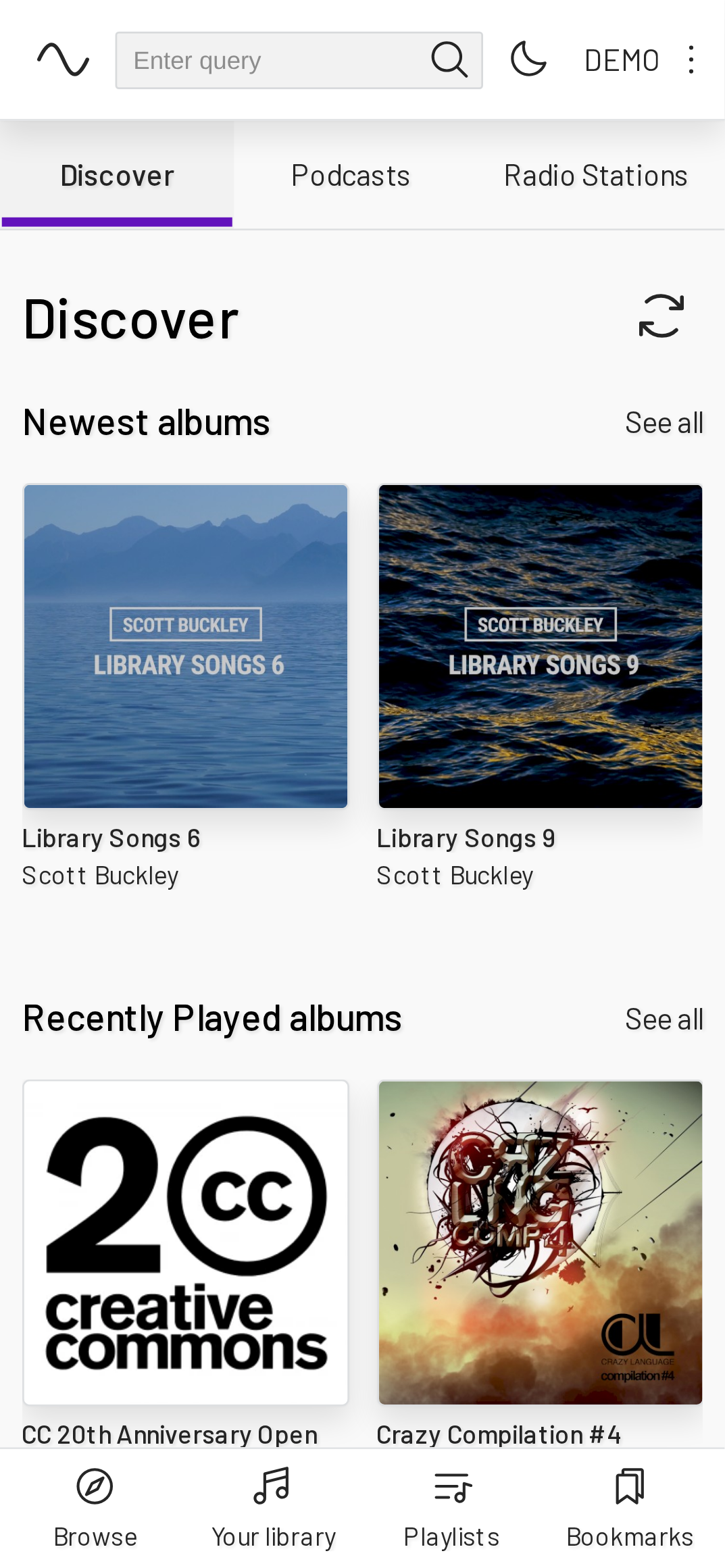
- Dark/Light Mode support.
- Keyboard shortcut (Press
hto see menu). - Context menu access via right-click (desktop) or long press (mobile) for quick actions on tracks, albums, playlists, and more.
- Easily drag and drop your favorite tracks, albums, and podcast episodes right into the queue or your playlist in the sidebar (available only on desktop).
-
Progressive Web App (PWA) Feature
- Seamlessly download the app icon to the home screen, providing the convenience of launching the app just like a traditional native application.
- Benefit from a web-based app that reduces storage space on devices compared to traditional downloadable applications, while still providing robust functionality.
-
Settings
- The app includes settings for theme, layout, crossfade, replay gain, scrobbling, and more. See the environment variables section for which can be pre-configured across all devices.
Click on the images to see video of the app in action.
| Desktop | Mobile |
|---|---|
 |
 |
| Desktop | Mobile |
|---|---|
 |
 |
Prerequisites:
The simplest way to run the application is via Docker Compose. This method automatically handles dependencies and configuration.
The environment variables are optional and can be customized as needed.
Create a file named docker-compose.yml with the following content.
services:
  subsonic-player:
    container_name: subsonic-player
    image: vd39/subsonic-player:latest
    ports:
      - '3000:3000'
    restart: unless-stopped
Execute the following command in your terminal:
docker compose up -dThe application will be accessible at http://localhost:3000.
A preview version (vd39/subsonic-player:preview) is available for those who want to try the latest changes early. Note that this version contains changes that are still undergoing internal testing and may contain bugs or stability issues. Use at your own risk.
image: vd39/subsonic-player:previewThis method offers more granular control.
docker run -d \
  --name subsonic-player \
  -p 3000:3000 \
  --restart unless-stopped \
  vd39/subsonic-player:latest
The application will be accessible at http://localhost:3000.
Pre-built static SPA archives are published as GitHub Releases. Each release contains a .tar.gz tarball that can be served by any static file host (Nginx, Caddy, Apache, S3, etc.).
-
Download the latest tarball from the Releases page.
-
Extract the archive:
tar -xzvf subsonic-player-static-*.tar.gz -C /var/www/subsonic-player -
Serve the extracted directory with your preferred static file server.
This method skips Docker and runs the application directly using Node.js and Yarn.
-
Clone the repository:
git clone https://github.com/VD39/subsonic-player.git
-
Navigate to the project directory:
cd subsonic-player -
Install dependencies:
yarn install
-
(Optional) Create a
.envfile: Create a file named.envin the project's root directory. This file will hold your environment variables. -
Start the development server:
yarn dev
The development server will start at http://localhost:3000.
Changes you make to the code will automatically trigger a rebuild and refresh of the browser.
Settings in this application can be configured at two levels. Environment variables establish default values that apply to all users across all devices (ideal for Docker deployments sharing a single server). These defaults can be overridden at an individual user level via localStorage when a setting is changed in the UI; the environment variable then acts as the fallback value.
All environment variables are optional. NUXT_PUBLIC_SERVER_URL pre-fills the server URL so users can bypass entry at the login screen. Every other variable defines an app default that users can subsequently override in the UI.
| Variable | Default | Description |
|---|---|---|
NUXT_PUBLIC_SERVER_URL |
'' |
Subsonic server URL |
NUXT_PUBLIC_MAIN_APP_TITLE |
Music App |
Browser tab title |
NUXT_PUBLIC_LOAD_SIZE |
50 |
Items loaded per scroll |
NUXT_PUBLIC_IMAGE_SIZE |
500 |
Album art image size (in pixels) |
NUXT_PUBLIC_ENABLE_QUEUE_SYNC |
false |
Enable server queue sync via Subsonic API |
NUXT_PUBLIC_BITRATE |
0 |
Max streaming bitrate (0 = no limit) |
| Variable | Default | Description |
|---|---|---|
NUXT_PUBLIC_THEME |
auto |
Theme preference (auto, light, dark) |
NUXT_PUBLIC_LAYOUT |
gridLayout |
Default view layout |
NUXT_PUBLIC_SCROBBLE_ENABLED |
true |
Enable scrobbling to Subsonic server |
NUXT_PUBLIC_SHOW_PODCASTS |
true |
Show podcasts in the library |
NUXT_PUBLIC_SHOW_RADIO_STATIONS |
true |
Show radio stations in the library |
NUXT_PUBLIC_DELETE_PODCAST_ON_END |
false |
Auto-delete podcast episode when finished |
NUXT_PUBLIC_CROSSFADE_ENABLED |
false |
Enable crossfade between tracks |
NUXT_PUBLIC_CROSSFADE_DURATION |
1 |
Crossfade duration in seconds (range 1–12) |
NUXT_PUBLIC_REPLAY_GAIN_MODE |
off |
Replay gain mode (off, track, or album) |
Contributions are always welcome! Feel free to contribute, provide feedback, or raise issues on GitHub!
This project is licensed under the GPL-3.0 license. Full license details available in the LICENSE file for details.